> For the complete documentation index, see [llms.txt](https://docs.hello-lisa.com/llms.txt). Markdown versions of documentation pages are available by appending `.md` to page URLs; this page is available as [Markdown](https://docs.hello-lisa.com/knowledge/general/users-and-permissions/advanced-custom-groups.md).
# ADVANCED Custom Groups
LiSA user accounts come with default groups and default priviliges. Admins have the capability of creating custom groups with custom priviliges
### CREATE CUSTOM GROUP
#### STEP 1: Locate Groups
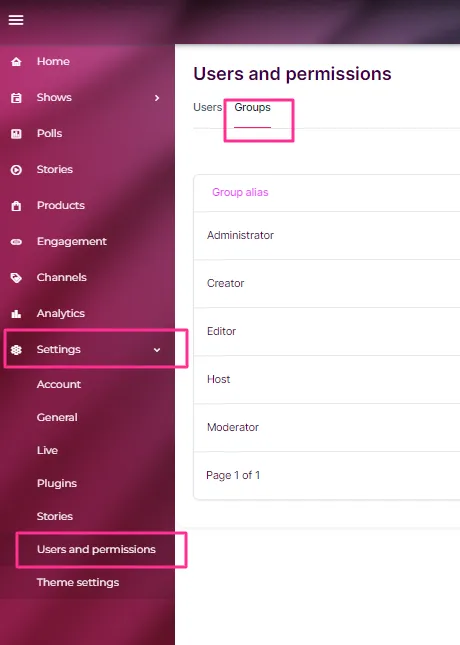
Navigate to Settings on the left main menu and select Users and Permissions. You will see a list of all existing users.
Click on Groups tab in the top left.
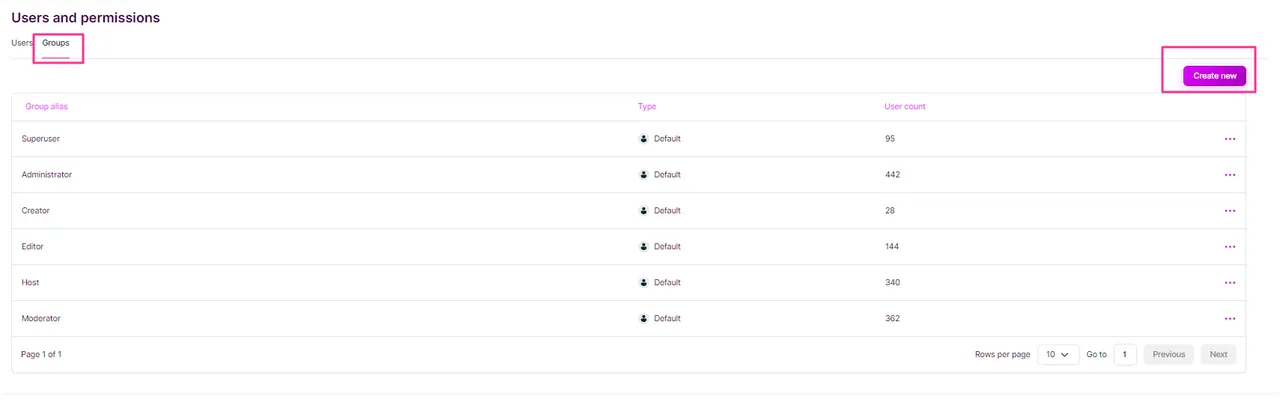
### Create Group
Inside the Group tab, click on Create new in the top right.
### Customize Group
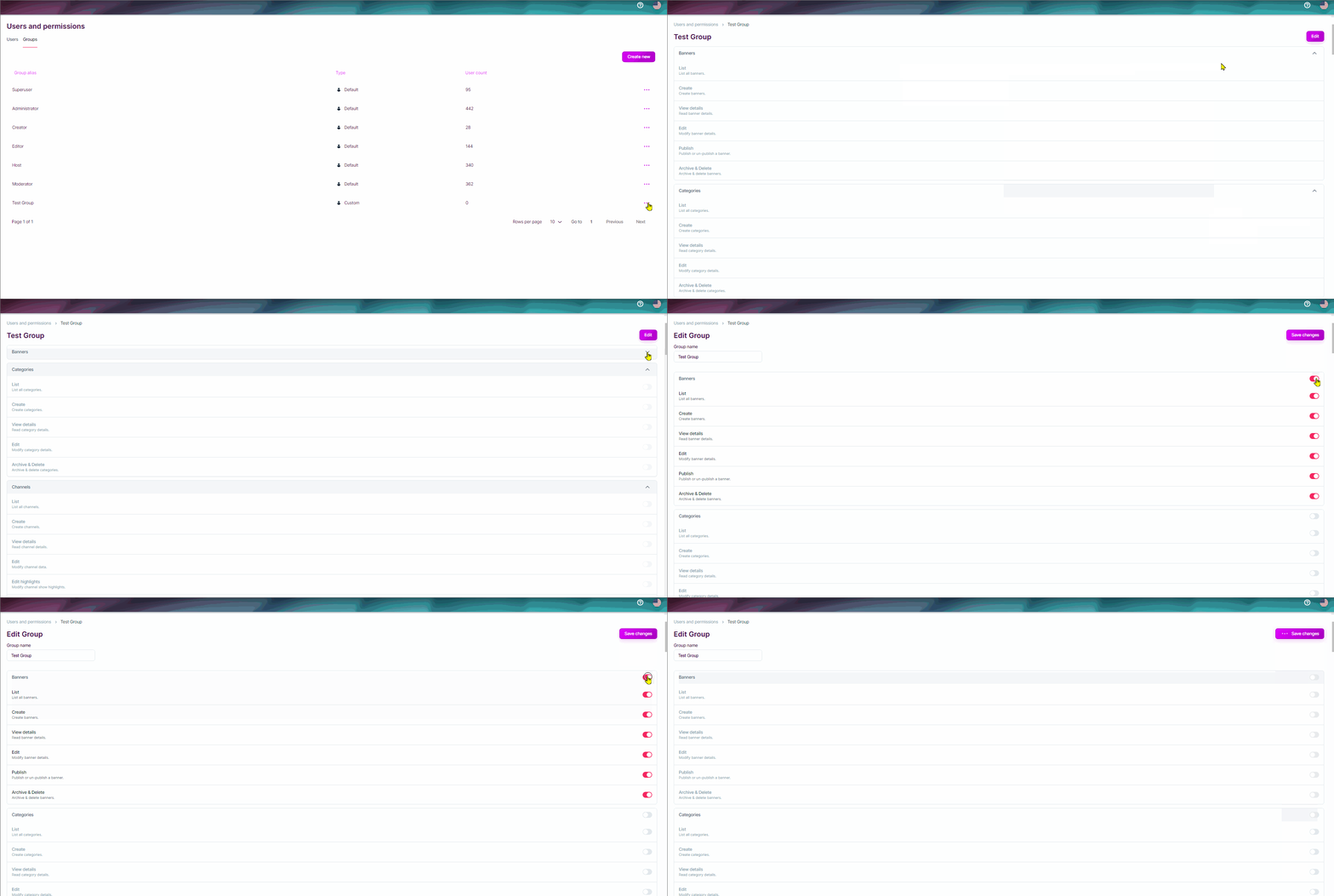
Give your new Group a name and click on Create. Navigate back into the group if needed make changes for that group and all the priviliges.
Inside the Group you will find a lot of customization options in regards to scopes and priviliges.
Click the **Edit** button make changes as you need to the priviliges of that group.