> For the complete documentation index, see [llms.txt](https://docs.hello-lisa.com/llms.txt). Markdown versions of documentation pages are available by appending `.md` to page URLs; this page is available as [Markdown](https://docs.hello-lisa.com/knowledge/shows/snippets/duration-restriction.md).
# Duration Restriction
LiSA Snippets let you restrict the total duration of any snippet. If you want your snippets to be a maximum of 15 seconds, you can make this an account wide setting. By default there is no duration restriction set up.
### **STEP 1: NAVIGATE TO SETTINGS**
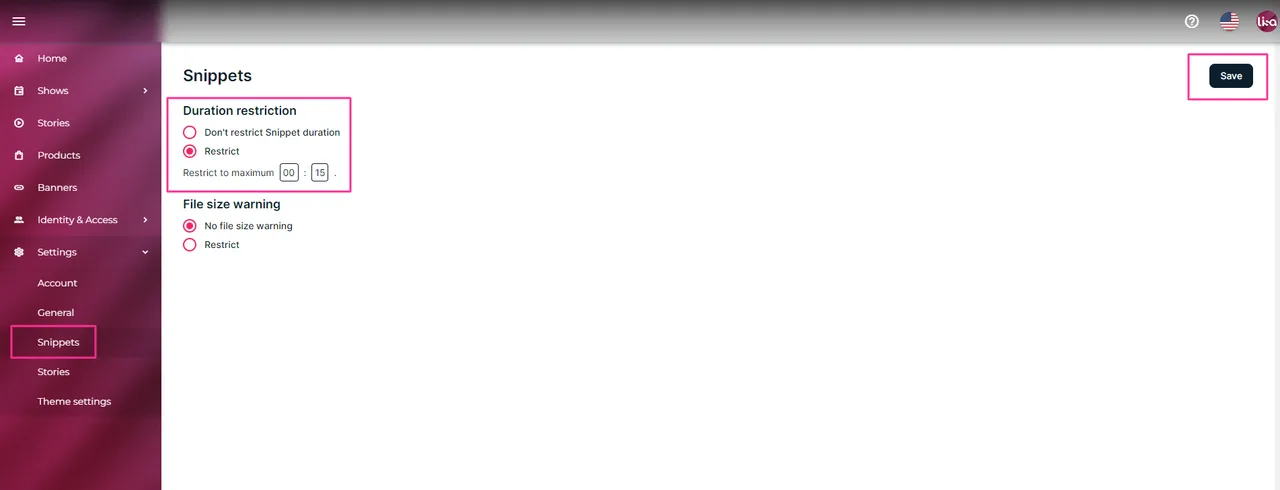
Log into your LiSA accont and navigate in the main menu to Settings -> Snippets
### **STEP 2: RESTRICT DURATION**
Look for Duration restriction and select Restrict. Type in minutes and seconds. Then click Save in the top right corner. Your snippets cannot be longer then 15 seconds in this example.
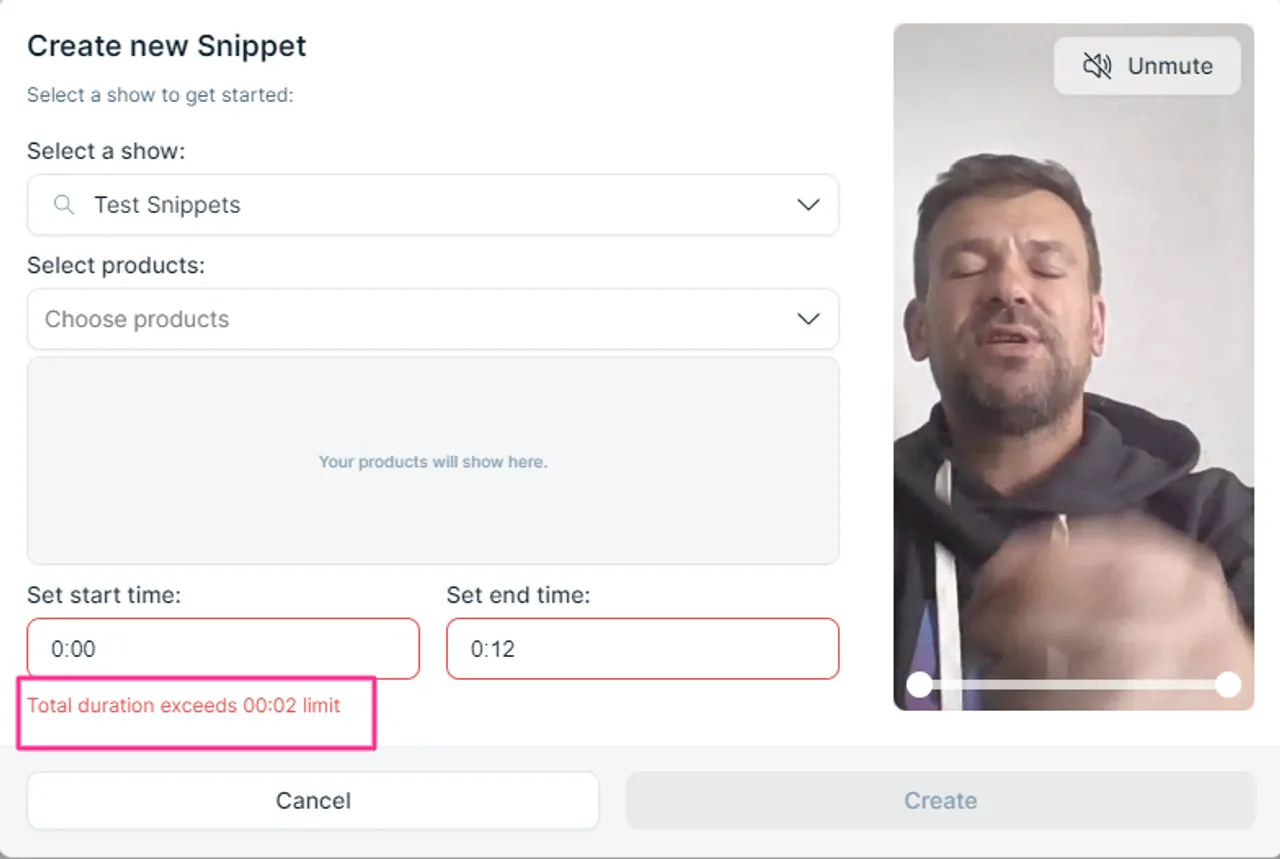
### STEP 3: Restrictions activated